
 Pусский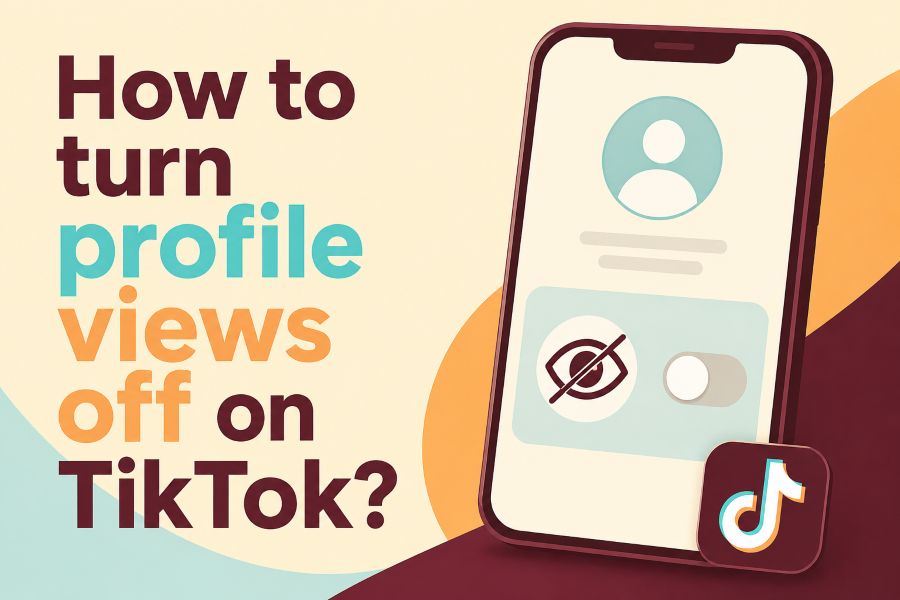
How to turn profile views off on TikTok is a common question because nobody wants every profile visit to feel public. TikTok’s Profile View History feature can show recent profile visitors, but it only works under specific rules, settings, and account limits.
This guide explains the simple steps, what changes after you turn it off, and how to avoid mistakes that still expose your activity.
How to Turn Profile Views Off on TikTok Step By Step
Open TikTok and tap Profile in the bottom-right corner, then tap the three-line menu at the top-right of your profile page. Choose Settings and Privacy, tap Privacy, then select Profile Views and turn Profile View History off.
When the switch is off, TikTok stops showing your profile visit to eligible users who also use the feature. Some users also compare privacy options outside TikTok, and a tool that helps people view public social videos and texts privately can be useful when you only want to inspect public content without logging into every platform. Keep your expectations realistic, because TikTok’s official settings control TikTok profile visit history inside the app.
TikTok says Profile View History shows profile visits from the past 30 days and is available only if you are at least 16 years old and have fewer than 5,000 followers. TikTok also says the setting is off by default, which means many users never need to change it unless they previously turned it on.
Must-know Tip: Turn the feature off before you browse profiles, not after, because the safest habit is to control the setting before creating new profile visits.
What Happens When You Turn Profile Views Off
When you turn Profile View History off, you gain more privacy but lose a useful tracking feature. You will not see which eligible accounts viewed your profile, and eligible users should not see your profile visit in their profile-view list.
This trade-off matters because TikTok designed the feature as a two-way visibility setting. If you want to see who viewed you, you accept that other people may also see when you view them, as long as both accounts meet the feature rules and both have the setting on.
Do not confuse profile views with video views, story views, likes, comments, or follows. Turning off Profile View History does not hide your likes, comments, reposts, messages, or follower activity, so you still need to be careful when you interact with content.
Why TikTok Profile Views Feel Confusing
TikTok profile views feel confusing because the feature does not work like a simple public visitor counter. It depends on age, follower count, the 30-day window, and whether both people have the setting enabled.
This is also why two friends can test the same profile and see different results. One account may be eligible while another is not, or one person may have the setting on while the other has it off. TikTok’s official rules make the feature conditional instead of universal.
The confusion is greater in 2026 because TikTok remains a major part of daily social media use in the United States. Pew Research Center reported that 37% of U.S. adults used TikTok in 2025, up from 21% in 2021, so privacy questions now affect millions of casual users, creators, and small businesses.
Must-know Tip: Treat Profile View History like a mutual visibility agreement, because it rewards curiosity with insight but charges you with reduced privacy.
How to Know If Profile View History Is Really Off
You can confirm the setting by going back to Profile Views and checking the switch. A gray or disabled switch means Profile View History is off, while an enabled switch means the feature is active.
You should also check from the profile views screen if your TikTok layout looks different. TikTok sometimes changes menu labels, but the same idea applies: find privacy controls, open profile view settings, and make sure the history option is disabled.
If the option is missing, your account may not be eligible, your app may need an update, or TikTok may not show the feature to your account right now. DataReportal’s 2026 U.S. report said TikTok had 153 million users aged 18 and above in the country in late 2025, so feature rollouts and account differences can create inconsistent experiences across users.
Can Someone Still Know You Viewed Their TikTok Profile
Someone should not see your profile visit through Profile View History after you turn the feature off. However, they can still notice you if you leave a like, comment, follow, share, mention, message, or view a story where viewer lists are available.
This is the part many users miss. Profile privacy is not the same as full activity privacy, because TikTok has separate signals for different actions. If you want to stay low-key, do not interact with the account after opening the profile.
You should also avoid accidental taps. A quick follow, like, or comment can notify the creator even if Profile View History is disabled, and that notification is much more direct than a profile-view record.
Profile Views Versus Video Views
Profile views and video views are different actions. A profile view happens when someone opens your profile page, while a video view happens when someone watches your content on the For You page, Following feed, search, or your profile grid.
Turning off Profile View History does not stop a video from counting as viewed. It only affects the profile visitor feature that shows eligible profile visits within the recent-view window. TikTok’s support page focuses specifically on profile visit history, not general video analytics. For creators, this distinction matters because profile visits can show deeper interest than simple video views. A viewer may watch your video by accident, but opening your profile usually means they want more context about you, your content, or your business.
Must-know Tip: If you only watched a video, you did not necessarily create a profile view, but opening the creator’s profile can trigger the profile-view system when both accounts qualify.
Why You May Not See The Profile Views Option
You may not see Profile View History because your account does not meet TikTok’s eligibility rules. TikTok says you must be 16 or older and have fewer than 5,000 followers to access the feature.
The option may also disappear if your app is outdated or if TikTok has changed the layout for your account. Update the app, close it, reopen it, and check the privacy settings again before assuming the feature is gone forever.
In some cases, your account type or region can affect feature visibility. TikTok does not expose every option to every account at the same time, which is common for large platforms that test privacy and engagement features across different user groups.
Best Privacy Settings To Check After Turning It Off
After you turn Profile View History off, review the rest of your privacy settings. Start with account privacy, comments, mentions, direct messages, duets, stitches, and who can see your liked videos.
A private account gives you more control because only approved followers can see your videos and certain profile details. Public accounts are better for growth, but they also make your profile easier to discover, inspect, and share.
DataReportal said TikTok’s U.S. ad reach equaled 55.7% of all adults aged 18 and above and 47.3% of local internet users at the end of 2025. That scale explains why privacy settings matter, because your profile can reach far beyond friends, classmates, coworkers, or local customers.
Common Mistakes That Still Reveal Your Activity
The biggest mistake is turning off Profile View History but still interacting with the account. Likes, comments, follows, reposts, tags, and messages can make your visit obvious even when profile views are hidden.
Another mistake is assuming one privacy setting controls everything. TikTok has separate settings for profile views, account visibility, comments, mentions, direct messages, downloads, duets, stitches, and suggested accounts.
A third mistake is switching the feature on and off without understanding the trade-off. If you turn it on to check who viewed your profile, you also allow eligible users to see your visits while the setting is active.
What Creators And Businesses Should Know
Creators should think carefully before turning Profile View History off. The feature can help you understand who is checking your profile after a viral video, a product post, a live stream, or a comment that gets attention.
For businesses, profile visitors can show buyer intent. Pew reported that 62% of U.S. adult TikTok users use the platform for product reviews or recommendations, so a profile visit can be a sign that someone is checking trust, pricing, location, or brand identity.
Privacy still matters for creators, especially when researching competitors or checking customer profiles. A simple rule is to keep the feature on when you need audience insight and turn it off when you need private browsing.
Must-know Tip: Use Profile View History as a business signal, not an ego metric, because the useful question is what visitors do after they land on your profile.
Quick Troubleshooting If The Setting Will Not Change
If the switch will not change, update TikTok from your app store and restart your phone. Then open TikTok again, go to privacy settings, and check whether the Profile Views option responds normally.
If the feature still fails, clear the app cache from TikTok’s settings. You can also log out and log back in, but make sure you know your password and recovery method before doing that.
If nothing works, wait and try again later because TikTok features can break during app updates or account tests. Avoid downloading random third-party apps that promise secret TikTok viewer powers, because many of them exaggerate what they can do and may put your account or data at risk.
Conclusion
How to turn profile views off on TikTok is simple once you know where the setting lives and what it actually controls. Go to Profile, open Settings and Privacy, choose Privacy, tap Profile Views, and switch Profile View History off. This stops eligible users from seeing your profile visits through that feature, but it also removes your ability to see who viewed your profile.
Use the setting based on your goal. Keep it off when you want more privacy, and turn it on only when you accept the two-way visibility trade-off. For stronger control, also review comments, mentions, messages, account privacy, and suggested account settings, because profile views are only one part of your TikTok privacy footprint.
FAQ
Can I Turn Off Profile Views On TikTok?
Yes, you can turn off Profile View History from TikTok’s privacy settings if your account has access to the feature. Go to Profile, tap the menu, choose Settings and Privacy, open Privacy, select Profile Views, and disable the switch.
Will People Know I Viewed Their TikTok Profile?
People should not see your visit through Profile View History if you turned it off before viewing their profile. They may still notice you through likes, comments, follows, messages, or other direct actions.
Why Can’t I Find Profile Views On TikTok?
You may not meet TikTok’s feature rules, because the feature is limited to users who are at least 16 and have fewer than 5,000 followers. You may also need to update your app or wait for TikTok to restore the option to your account.
Is Profile View History Off By Default?
TikTok says Profile View History is off by default. If you previously enabled it, you need to turn it off manually from the Profile Views setting.
Does Turning It Off Delete Old Profile Views?
Turning it off stops your account from using the profile-view history feature going forward. TikTok’s official page describes a 30-day profile-view window, but you should not rely on it as a full deletion tool.
Can I See Who Viewed My Profile After Turning It Off?
No, turning it off removes your ability to see who viewed your profile. That is the main trade-off TikTok uses to make the feature mutual.
Does This Hide My TikTok Story Views?
No, Profile View History is separate from story views. If TikTok shows viewers for a story or another feature, turning off profile views may not hide that activity.
Does A Private Account Hide Profile Views?
A private account limits who can see your content and profile activity, but it does not replace every privacy setting. You should still check Profile View History and other controls separately.
Can I Browse TikTok Completely Anonymously?
TikTok does not offer a full incognito mode for every action. You can reduce visibility by turning off Profile View History, avoiding interactions, and tightening your privacy settings.
Should Creators Keep Profile Views On?
Creators may keep it on when they want audience insight from profile visits. They should turn it off when they want to research accounts more privately or avoid appearing in another user’s profile-view list.
