
 Pусский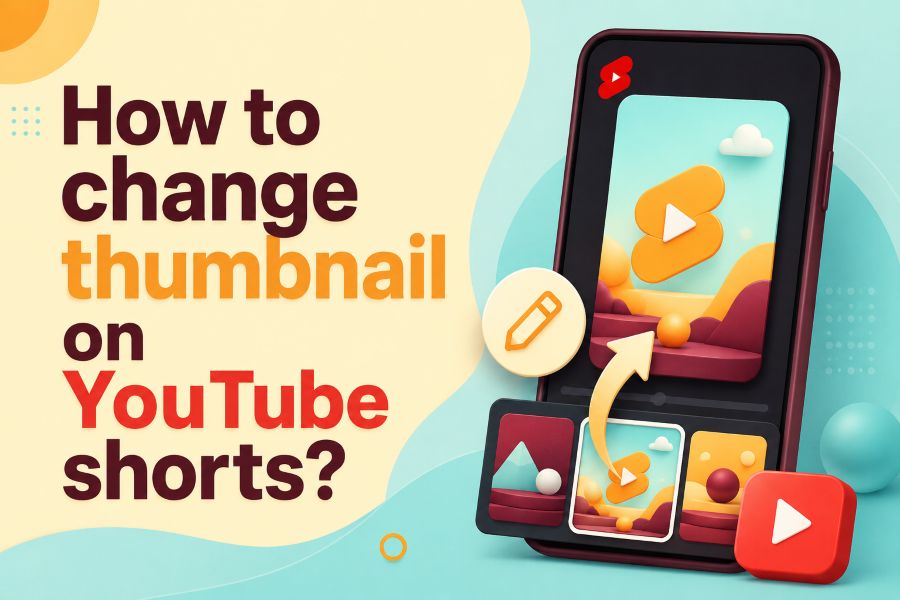
How to change thumbnail on YouTube Shorts is one of the most common questions creators ask after uploading a Short and seeing an awkward frozen frame. YouTube Shorts do not work exactly like regular YouTube videos, so the thumbnail process can feel confusing if you expect a normal custom image upload.
This guide explains what you can change, where to change it, what limits exist, and how to pick a thumbnail frame that helps people stop scrolling.
Why YouTube Shorts Thumbnails Matter
Your Shorts thumbnail is the first visual clue people see in search, on your channel page, and in some browse areas. A strong thumbnail tells viewers what the Short is about before they tap, while a weak frame can make a good video look random or unfinished. In 2024 and 2025, short-form video continued to grow across YouTube, TikTok, Instagram, and Facebook, so your cover image now competes in a much faster visual space.
You should treat the thumbnail as a promise, not a decoration. If your frame clearly shows the main result, face, object, or moment, viewers understand the value more quickly and make a quicker decision. Creators who study thumbnails often compare public content layouts across platforms, and a tool that helps users view public social content privately can support that research without turning the process into copying.
A Shorts thumbnail also helps returning viewers recognize your style. Use the same type of framing, text size, and subject placement so your channel looks organized. The trend from 2024 to 2026 is simple: thumbnails with clear subjects, readable words, and honest hooks usually perform better than messy frames with too much going on.
Can You Really Change A YouTube Shorts Thumbnail
Yes, you can change a YouTube Shorts thumbnail, but you need to understand the limit first. For Shorts, YouTube generally lets you select a frame from the Short instead of uploading a custom image, just like you do for long-form videos. This is why many creators open YouTube Studio on a desktop and feel stuck.
The most reliable method is the YouTube mobile app. You open your uploaded Short, edit it, tap the thumbnail pencil, select a frame, and save the change. YouTube has also added editing options for Shorts thumbnail frames, including text and filters, in some app experiences, but availability can vary by device, account, app version, and region.
The key point is this: you should plan your thumbnail before recording or uploading. Add one strong “cover moment” inside your Short, then choose that frame later. In 2025 and 2026, creator workflows became a smart habit because Shorts thumbnails are selected from the video itself, so your video needs at least one clean frame to serve as a cover.
How To Change Thumbnail On YouTube Shorts In The App
The easiest way to change the thumbnail is through the YouTube app on your phone. Sign in to the correct channel, go to your channel area, open your videos, find the Short, tap the three-dot menu, and choose edit. Then tap the thumbnail pencil or cover option, move through the video frames, select the strongest frame, tap done, and save.
Pick a frame where the main subject is centered and easy to understand. A good Shorts frame should work even when it appears small, because many viewers see thumbnails on mobile screens first. Creators also compare platform behavior when planning short videos, and a topic like how to view Instagram stories anonymously shows why private viewing habits matter when people study visual content across social platforms.
Do not choose a frame only because it looks dramatic. Choose one that matches the actual video and helps the viewer know what they will get. If your Short is a tutorial, show the finished result or the key step. If your Short is entertainment, show the face, action, surprise, or object that creates curiosity.
How To Choose A Frame Before Uploading
The best time to prepare your Shorts thumbnail is before you upload the video. Add a clear frame near the start or end of the Short that contains the subject, a clean background, and simple text if needed. This gives you a better frame to select later inside the YouTube app.
You can create this frame inside your editing app by placing a one-second visual cover in the Short. It should match the video and not feel like a fake image that tricks viewers.
Keep the cover frame simple. Use one subject, one idea, and two or three words if text is needed. In 2024 and 2025, mobile-first content design continued to favor bold, simple visuals because people scroll quickly and decide in seconds. Your frame should pass the “one-glance test.”
Best YouTube Shorts Thumbnail Size
For Shorts, the ideal design format is vertical. Use 1080×1920 pixels if you create a cover-style frame inside your video, as that matches the 9:16 format used for Shorts. This does not mean you can always upload that image as a separate custom thumbnail, but it helps your chosen video frame look clean.
You should also protect the safe zones. Avoid placing important words at the bottom where captions, buttons, or interface elements may cover the design. Keep faces, products, and main text closer to the center so the frame still works across search, channel pages, and mobile previews.
For regular YouTube thumbnails, YouTube recommends large image sizes and a 16:9 layout, but Shorts are different because they are vertical. This difference creates confusion for many creators. The practical rule is simple: design your Short in 9:16, place a strong thumbnail moment inside it, and select that frame from the app.
What Makes A Shorts Thumbnail Clickable
A clickable Shorts thumbnail has a clear subject, strong contrast, and a reason to tap. The viewer should understand the topic without reading a long sentence. If the frame needs text, use short words like “Before,” “After,” “Fixed,” “Mistake,” “Result,” or “Watch This.”
Faces often work well because emotion creates fast recognition. Products, screens, food, tools, and results can also work if the image is sharp and centered. A 2025 short-form trend is result-first framing, where the thumbnail shows the outcome before the viewer watches the process.
Must-know Tip: Think like a viewer with no context. If the thumbnail does not explain the value in one second, pick another frame or edit a better cover moment into the Short.
Avoid clutter because small screens punish busy visuals. One clear idea beats five tiny details. Your goal is not to make the thumbnail loud, but to make it instantly understandable.
Common Reasons The Thumbnail Option Is Missing
Sometimes the thumbnail option does not appear, and that does not always mean you did something wrong. Your app may be outdated, the Short may still be processing, or your account may not have the same feature rollout as another creator. YouTube features often roll out gradually, so two channels can see different options on the same day.
Start with the basic fixes. Update the YouTube app, restart your phone, reopen the Short, and check again after processing finishes. If the Short was uploaded only a few minutes ago, wait until YouTube finishes generating all available previews.
You should also confirm that you are editing from the YouTube app, not only from desktop Studio. Many guides online mix long-form thumbnail steps with Shorts steps, which creates confusion. If the option still fails, upload your next Short with a better built-in cover frame so you have a strong frame ready when the feature appears.
YouTube App Vs YouTube Studio
YouTube Studio is powerful for normal videos, analytics, titles, descriptions, and channel management. However, Shorts thumbnail editing is not always the same there, especially when you expect to upload a separate custom image. For Shorts, the app is usually the better place to select a frame.
This matters because desktop workflows feel more professional, but mobile workflows often receive Shorts-specific features first. If you edit everything on a computer, you may still need your phone for the final thumbnail frame selection. That small extra step can save you from publishing a Short with a random paused expression or messy frame.
In 2026, creators should treat Shorts as a mobile-first format from planning to publishing. Use desktop tools for editing if you want, but test the final upload on mobile. The best workflow is simple: create the Short, add a strong cover frame, upload, select the frame in the app, then review how it appears on your channel.
Design Rules For A Better Shorts Cover Frame
Start with contrast. A thumbnail with dark text on a dark background or light text on a light background will fail on mobile. Use clean separation between the subject and background so the viewer can understand the image even when it is tiny.
Next, limit the words. Two or three bold words often work better than a full sentence. In short-form video trends from 2024 to 2026, creators moved toward fewer words because viewers scroll faster and platforms show thumbnails in smaller placements.
Must-know Tip: Do not design a Shorts thumbnail like a poster. Design it like a road sign so people can understand it quickly while moving.
Use your face, product, or result as the main visual anchor. Place it in the center area, keep it sharp, and remove anything that distracts from the main idea. A clean frame gives your Short a better chance in search and on your channel page.
Mistakes To Avoid When Changing Shorts Thumbnails
The biggest mistake is choosing a frame that does not match the video. Clickbait can increase taps briefly, but low retention tells YouTube that viewers did not get what they expected. A better thumbnail sparks curiosity while still delivering the exact topic promised.
Another mistake is using too much text. Long words become unreadable on phones, especially when thumbnails appear in small channel grids. You should use short text only when it makes the frame easier to understand.
Do not place key details near the bottom-right area. Interface buttons, captions, and overlays can hide important parts of your frame. Also, avoid blurry motion frames unless the blur adds meaning. A clean pause moment usually beats a chaotic action frame.
How To Improve CTR Without Hurting Retention
CTR matters, but it is not the only signal you should care about. If viewers tap and leave fast, the thumbnail helped you get attention but hurt the viewing experience. The better goal is qualified clicks, which means viewers tap because the thumbnail accurately describes the Short.
Use a thumbnail frame that creates a question in the viewer’s mind. For example, show the final result, a surprising comparison, or the exact mistake you will fix. Then make the first two seconds of the Short connect directly to that frame.
Must-know Tip: The best Shorts thumbnail and opening scene should feel like one promise. When the viewer taps, the video should immediately confirm they are in the right place.
Track your results over time. If Shorts with clear result frames get more views and better retention, repeat that style. If dramatic frames get clicks but poor watch time, reduce the hype and make the frame more honest.
Quick Troubleshooting Checklist
Use this checklist when your Shorts thumbnail does not look right. First, update the YouTube app and make sure you are logged in to the correct channel. Then open the Short from your channel videos, tap edit, and look for the thumbnail pencil or cover selector.
If the frame does not update immediately, give YouTube time to process the change. Thumbnail changes can take time to appear across all surfaces, especially in search, channel pages, and cached previews. Do not keep changing the thumbnail every few minutes because that makes it harder to judge performance.
You should also check your video quality. A low-resolution Short gives you fewer sharp frames to choose from. Record or export in 1080 by 1920 when possible, keep your subject in focus, and avoid shaky moments during the frame you may use as the cover.
Advanced Tips For Creators And Brands
If you publish Shorts often, create a thumbnail system. Use the same framing style, similar text placement, and consistent subject position across your channel. This helps viewers recognize your content faster when they see several of your Shorts together.
You can also build a “cover moment” template in your editing app. Add a clean frame with the finished result, your product, or a key visual before the Short starts or at the end. Then select that frame during upload or after publishing.
Must-know Tip: Build every Short with one thumbnail-ready frame before export. This habit saves time and gives you control even when YouTube limits separate custom thumbnail uploads.
For brands, the thumbnail should protect trust. Avoid exaggerated claims, fake results, or shocking images that the Short does not support. Strong visual honesty helps your channel look professional and improves long-term viewer loyalty.
Conclusion
How to change thumbnail on YouTube Shorts becomes simple when you stop treating Shorts like regular YouTube videos. You usually need to choose a frame from the Short in the YouTube app, so the smartest move is to plan a clean cover frame before upload. Keep the frame vertical, clear, honest, and easy to understand on a small screen.
Use short text, strong contrast, centered subjects, and a visual promise that matches the video. If the option is missing, update the app, wait for processing, and try again from your phone. A better Shorts thumbnail will not save a weak video, but it can help the right viewers notice a strong one faster.
FAQs
Can You Change A YouTube Shorts Thumbnail After Upload
Yes, you can usually change the selected Shorts thumbnail frame after upload through the YouTube app. Open your channel videos, edit the Short, tap the thumbnail or cover option, select a better frame, and save it.
Can You Upload A Custom Thumbnail For YouTube Shorts
YouTube Shorts do not always support custom uploaded thumbnails the same way regular videos do. The safer method is to select a frame from the Short and design that frame before uploading.
Why Is My YouTube Shorts Thumbnail Option Missing
The option may be missing because your app is outdated, the Short is still processing, or the feature is not available on your account yet. Update the app, wait a little, and try editing from the YouTube mobile app.
What Is The Best Size For A YouTube Shorts Thumbnail
Use a 9:16 vertical frame, ideally 1080 by 1920 pixels, when creating a thumbnail-ready moment inside your Short. Keep important text and subjects near the center.
Can I Change A Shorts Thumbnail On Desktop
Desktop options can be limited for Shorts, especially if you want the same custom upload process used for long-form videos. The YouTube mobile app is usually the best place to choose or edit the Shorts frame.
What Should My Shorts Thumbnail Show
Your thumbnail should show the main result, action, face, product, or key moment. It should make the topic clear without misleading viewers.
Does A Better Shorts Thumbnail Increase Views
A better thumbnail can improve clicks from search, channel pages, and other places where the frame appears. It works best when the video also keeps viewers watching.
Should I Add Text To A Shorts Thumbnail
Yes, but keep it short. Use two or three words only when they make the frame easier to understand.
Why Did My New Thumbnail Not Show Immediately
YouTube may need time to process and update the thumbnail across different surfaces. Wait before changing it again.
Is Clickbait Bad For Shorts Thumbnails
Yes, clickbait can hurt retention if viewers feel tricked. Use curiosity, but make sure the thumbnail matches the actual Short.
Can I Use A Designed Cover Image Inside My Short
Yes, you can place a designed cover frame inside the video and select that frame as the thumbnail. This is one of the best ways to control how your Short appears.
How Many Words Should A Shorts Thumbnail Have
Use as few words as possible. Two or three bold words usually work better than a full sentence.
What Is The Biggest Thumbnail Mistake For Shorts
The biggest mistake is choosing a messy or misleading frame. Your thumbnail should be clear, accurate, and easy to understand at a glance.
